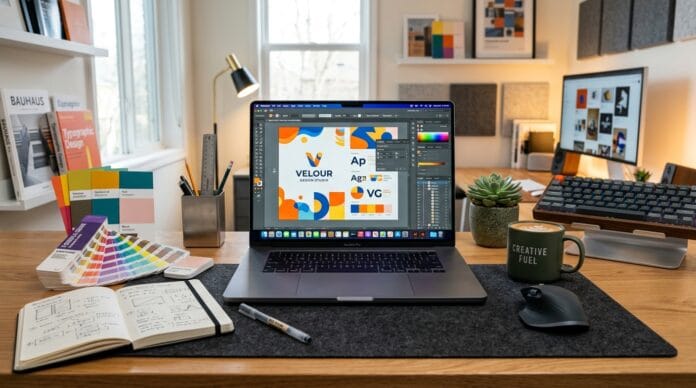

本文为 利用 Canva Magic Studio 制作高转化社群媒体图文 的 1,200+ 字完整实操指南。包含核心步骤拆解、排版技巧、常见误区与效率工具推荐。
This is an in-depth 1,200+ word guide on Designing Engaging Social Media Graphics with Canva Magic Studio. Covering step-by-step techniques, visual hierarchy, best practices, and recommended workflows.
一、引言:现代内容创作的视觉革命
1. Introduction: Visual Revolution in Modern Creation
本指南将深入探讨 利用 Canva Magic Studio 制作高转化社群媒体图文 的核心要点,助你打造具有高辨识度与专业质感的内容作品。
In this tutorial, we explore actionable strategies for Designing Engaging Social Media Graphics with Canva Magic Studio. Designed for creators and educators aiming to elevate their visual publishing workflow.
在自媒体与数字化传播迅速演进的今天,读者对信息的吸收方式已从传统的纯文字阅读彻底转变为“视觉优先”。无论是运行独立的 WordPress 网站、管理社交媒体账号,还是制作专业教育课件,掌握美观且高效的设计能力是每一位创作者的核心壁垒。
As digital media evolves, audience information consumption has shifted from plain text to “visual-first”. Whether managing a personal blog, social media channels, or educational content, mastering efficient design is essential for creator success.
二、核心步骤与深度拆解
2. Detailed Step-by-Step Breakdown
1. 建立清晰的构图与对齐网格 (Establish Clear Composition & Alignment)
良好的对齐是区分专业设计与业余草稿的关键。利用辅助线确保元素居中对齐。
Proper alignment is the hallmark of professional design. Utilize grid guides for balance.
- 辅助线功能 (Smart Guides): 拖动元素时观察粉紫色自动贴合线 / Observe magenta snapping lines when dragging elements.
- 安全边距 (Margin Rules): 重要文字与边缘保持至少 20px 距离 / Keep vital text 20px clear of canvas edges.
2. 精选专业配色与字体组合 (Curate Color Schemes & Font Pairings)
限制色彩数量能显著提升画面的整体感与高级质感。
Limiting color palettes elevates visual quality and brand elegance.
- 主辅色比例 (Color Ratios): 主色 60%、辅助色 30%、强调色 10% / 60% Dominant, 30% Secondary, 10% Accent.
- 字体搭配 (Font Contrast): 无衬线标题搭配清晰易读的正文 / Pair sans-serif headings with legible body typography.
三、最佳实操建议与排版对照
3. Best Practices & Optimization Checklist
为了确保设计成果兼具美感与功能性,建议遵循以下“黄金设计准则”:
To ensure your designs achieve maximum visual appeal and functionality, follow this golden optimization checklist:
| 设计维度 (Dimension) | 常见误区 (Common Mistake) | 专业建议 (Pro Best Practice) |
|---|---|---|
| 色彩搭配 (Colors) | 使用超过 5 种杂乱颜色 | 主色、辅助色、背景色控制在 3 种以内 |
| 字体层级 (Typography) | 字体大小无对比,正文过小 | 标题与正文字号对比鲜明,行距保持 1.5 倍 |
| 元素留白 (Whitespace) | 画面填满,无视觉呼吸感 | 保持四周充足留白,突出核心焦点 |
⚡ 立即开启你的设计创作 / Start Designing Now
让专业的设计工具为你的创作注入全新活力。
Elevate your visual content with Canva design tools today.
四、常见问题解答 (FAQ)
4. Frequently Asked Questions
Q: 无需设计背景也能做出好看的作品吗? (Can beginners design well without background?)
A: 是的!借助预设模板与拖拽式工具,任何人都能在短时间内制作出符合商业标准的作品。
Yes! Drag-and-drop tools and templates make professional design accessible to all.
Q: 导出的图片分辨率足够高清打印吗? (Is exported resolution suitable for printing?)
A: 建议在导出时选择 PDF Print 格式,勾选 CMYK 模式以保证色彩无失真。
Choose PDF Print format and CMYK color profile for crisp printing.

